How to Create a Quiz
Want to create your own quiz but not sure where to start? Faabul makes it quick and easy! You can design your quiz yourself or let AI help speed up the process. Choose from a variety of question types and tailor the quiz to fit your needs. With Faabul, you will also get a QR code and a text code for sharing your quiz game with others. You can also provide correct answers and explanations.
CREATE YOUR OWN QUIZ
It's free
Creating a Quiz Step-by-Step
- Click the Sign In button in the upper right corner. If you don't have an account with us, create one.
- When you are signed in, switch to My Quizzes and click the New Quiz button in the upper right corner.
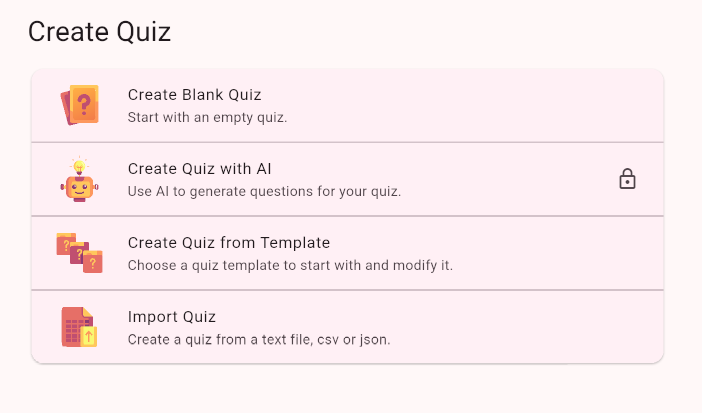
- On the next screen, type the name of your quiz or write down instructions for AI to create your quiz. You can also set the language for your quiz here and choose a theme template.
Editing the Quiz
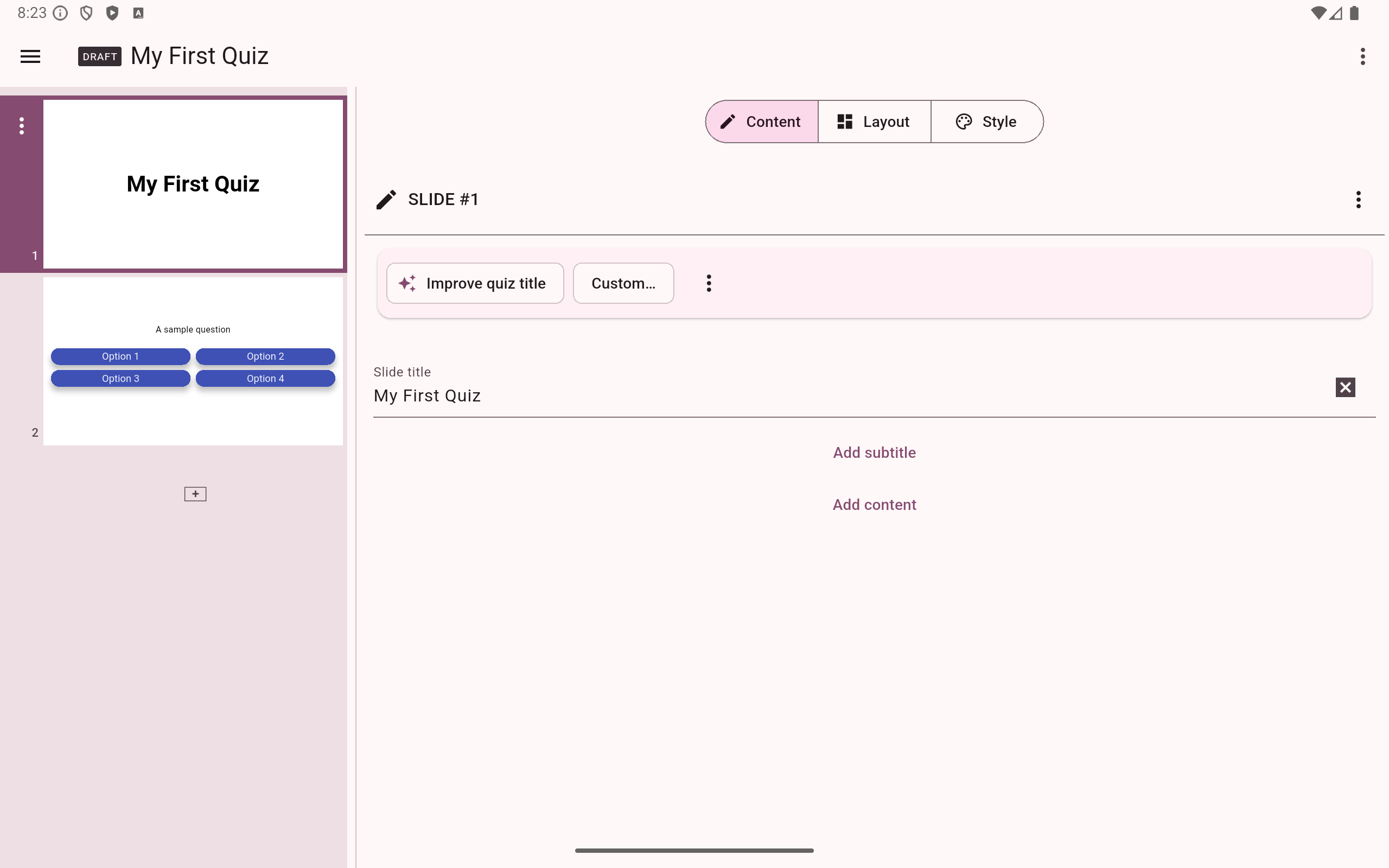
Your quiz is made up of a series of individual slides and works just like any other presentation. After you create an empty quiz, you can see two slides added by default.
It is customary to start with a title slide. This is the slide that people will see when they first open the quiz, and it just looks better than starting with a question right away.
The second slide shows you a sample multiple-choice question that you can customize.
- Tap the plus button in the left column to add a new slide at the end of your quiz.
- You can drag and drop the slides in the left column to change their order.
- Tap the three dots next to a slide to show a menu in which you can add content to the slide, duplicate the slide, remove it, or add new slides to a specific location.
- You can view your quiz by clicking the Preview icon.
- When you are ready, you can start the live quiz game using the Host & Share button.
The empty slide shows you the basic options to customize its content. Apart from questions, you can also add other content to your slides.
Buttons with the icon use AI Assistant to edit your quiz content automatically.
Layout
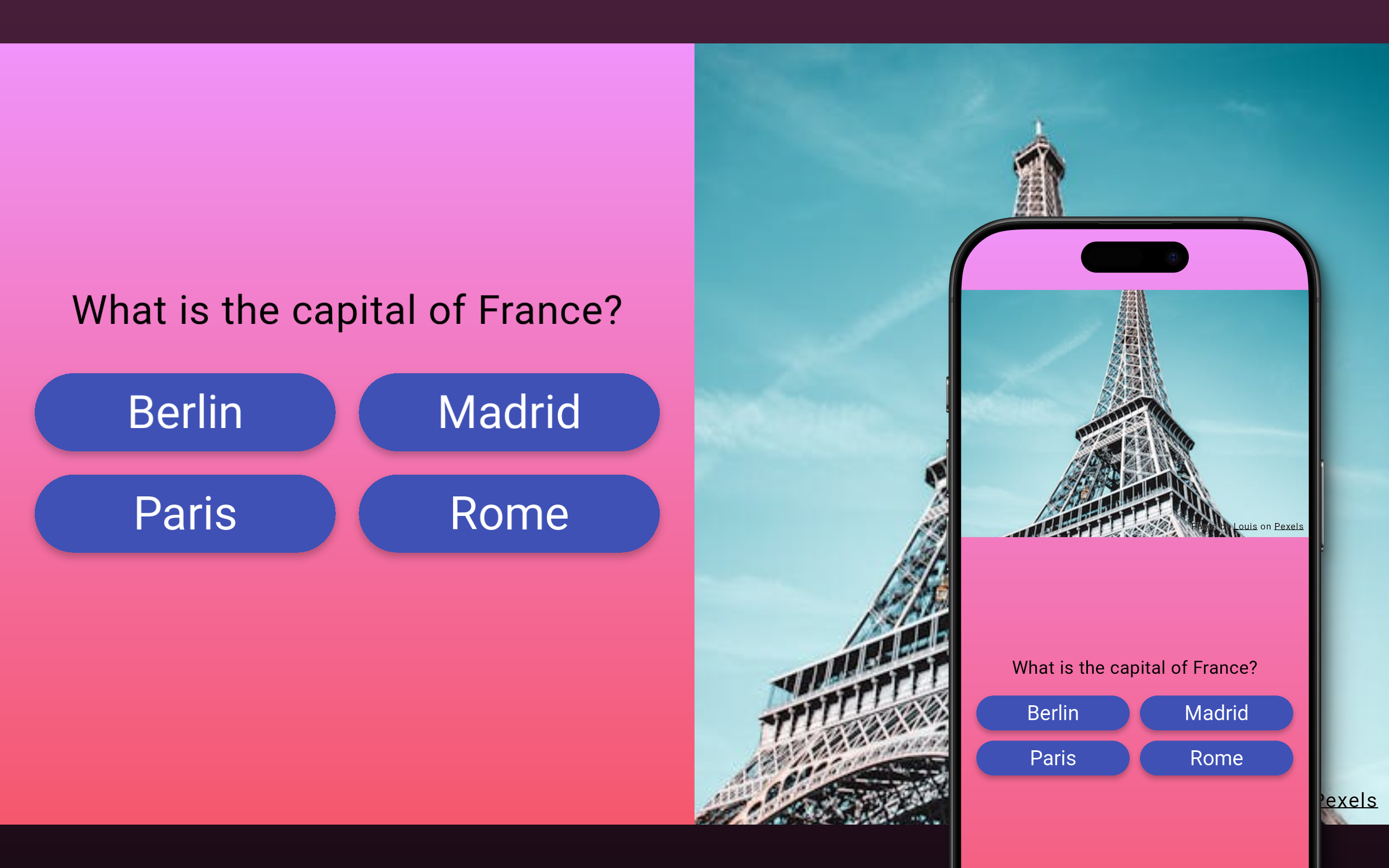
Tap the Layout button to change the slide layout. This is useful when you want to add images to your slide. You can split the slide vertically or horizontally.
Layout only affects slides when shown in landscape mode (on desktop, tablets, TV or overhead projector). When the slide is viewed on a mobile phone in portrait orientation, the layout is automatically adjusted to fit. You can check this in preview mode by switching to portrait layout preview.
Style
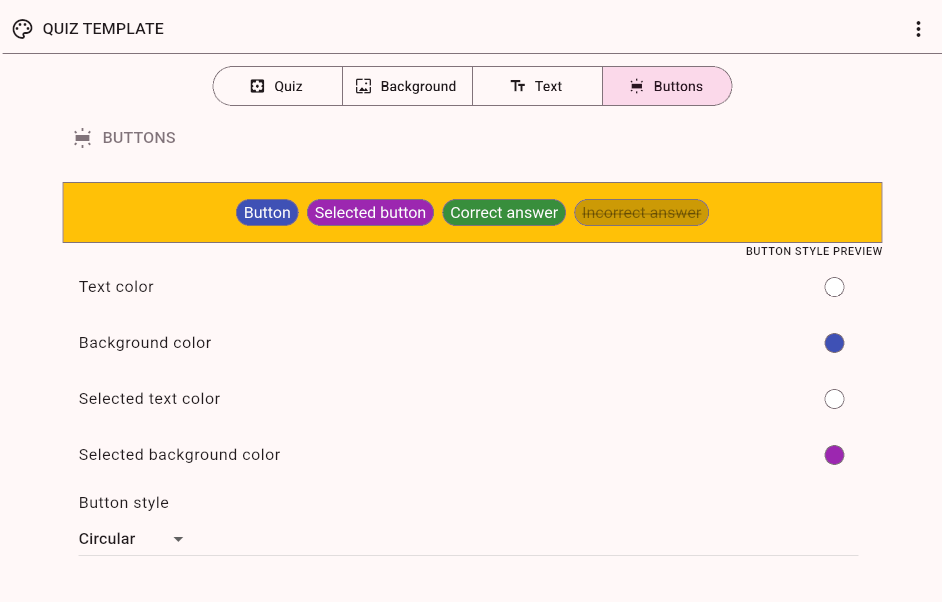
Your quiz has a template that is automatically used for all slides. Click the Edit template button in the Style tab to edit the template. You can change the slide background, colors or even choose the style of quiz buttons.
You can override the default template for any slide. Just uncheck the Inherit switch. This may be useful especially for the title slide, if you want to add some custom background behind the title.
Draft Mode
All new quizzes are created in DRAFT mode. In this mode, the quiz is private and cannot be accessed. If you start a game using the quiz or share it, the quiz is published automatically.
Host & Share
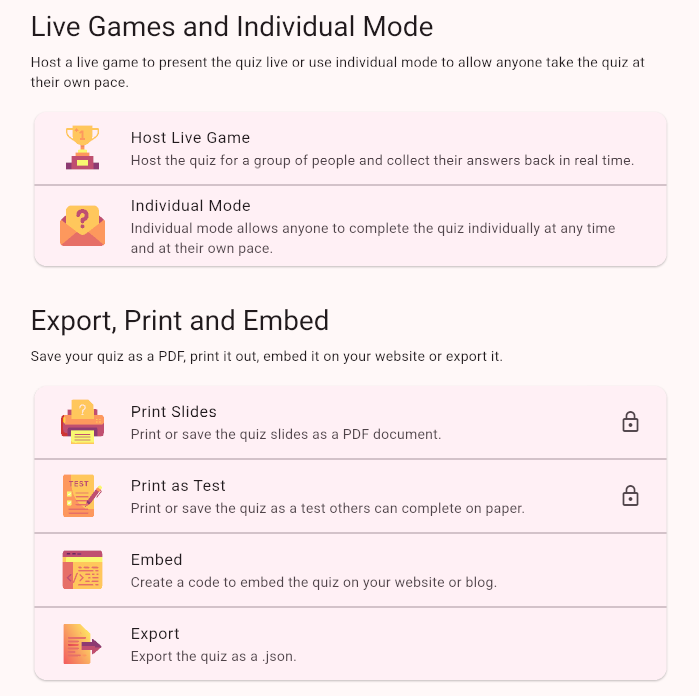
Press the Host & Share button to use this quiz in a live game or share it for individual completion using the Individual mode. You can also Print the quiz, export it as a PDF or create a HTML code to embed the quiz on your website.
Settings
Click the Settings button to change the quiz settings, such as name or snippets that show on the quiz landing page. You can also duplicate or delete the quiz in the Settings.